





Receive healthcare without leaving your home
NEVHC offers telehealth visits through secure video calls, making it easier for you to connect with your provider from locations that are the most convenient for you.
A telehealth visit is similar to an in-person appointment. You’ll talk with your provider about your current health concerns and receive guidance on next steps for your care.
Visits take place through a secure, HIPAA-compliant video platform that can be accessed on your computer, smartphone or tablet, with no app download required! Your appointment is private and confidential, and your photo or voice will not be recorded or stored.
Virtual Visits Are Available For:
What do I need for a virtual visit?
Step-by-Step Guide for Virtual Visits
Before your visit:
Make sure you have access to the confirmation email/text message you received when your appointment was scheduled.
Make sure you are in a private, quiet setting with reliable Wi-Fi or cellular service.
Charge your device or have it connected during your visit. Close all other applications to prevent any issues.
If the appointment is for a family member or you are a caregiver, please be physically present with the patient.
Don’t forget to run a quick test on your device prior to your visit: connect.ottohealth.com/video/test
Review the Devices and Connection Guide at the bottom of this page, or at: ottohealth.com/patient-resources
Joining your visit:
1. Appointment Confirmation
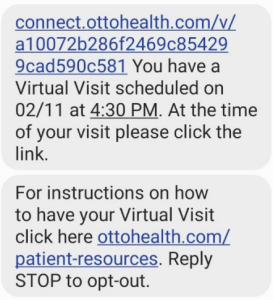
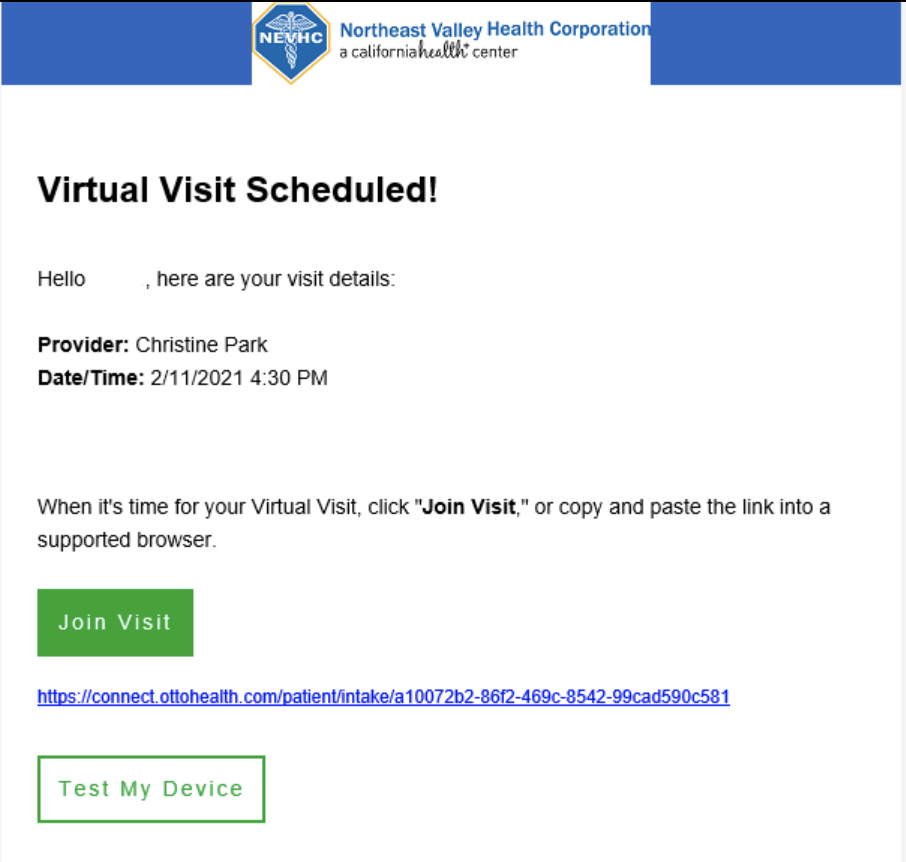
When your appointment was scheduled, you should have received two text messages and/or an email from OTTO Health with the link to your appointment and a device connection guide.
2. The day before your appointment:
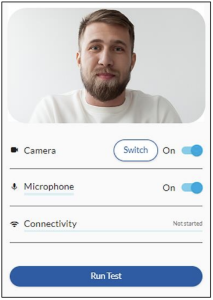
Follow the appointment link that was sent to your phone and/or email. Click on Test My Device and then Run Test.
Your device camera, microphone and internet connection will be tested to make sure everything will run smoothly on the day of your appointment.
Please make sure you test the same device and network that you will be using on the day of your visit.
3. Day of Appointment
At least 15 minutes before your appointment, follow the appointment link that was sent to your phone and/or email.
Please make sure to only use browsers such as: Google Chrome, Safari, or Firefox
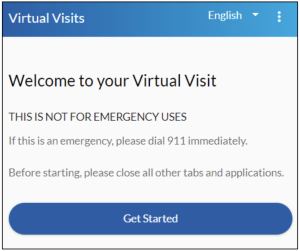
Click on Get Started to begin.
4. Appointment Registration
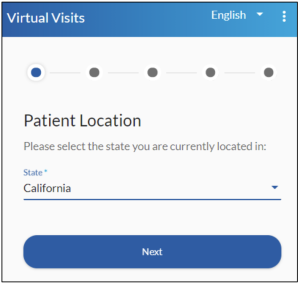
Begin your registration process by selecting your state then click Next.
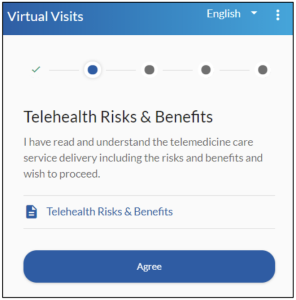
Review “Telehealth Risks and Benefits.” Click Agree.
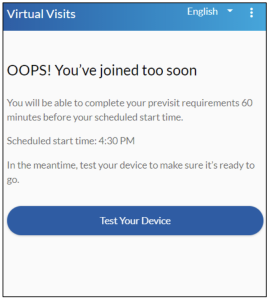
NOTE: You can start the consent process 1 hour before your appointment.
5. Telehealth Policy
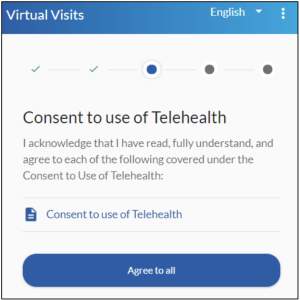
Review and Agree to all requirements under “Consent to use of Telehealth.”
Review and Agree to all requirements under “Telehealth Policies.”
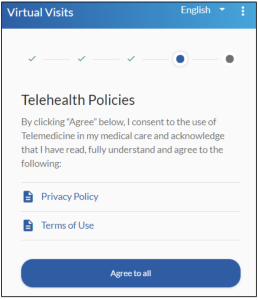
6. Relationship to Patient
If the telehealth visit is your own, click on Self then click Next.
If the telehealth visit is for a dependent, click on Legal Representative. You will need to provide your name and relationship to the patient before you can click Next.
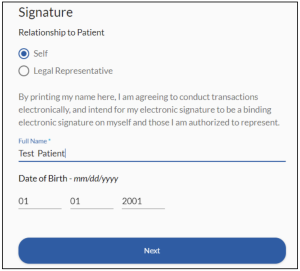
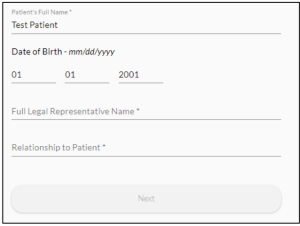
7. Allow Camera Access
Allow access to your microphone and camera. Please note that allowing access is only temporary while you are on the OTTO website.
The visit will never be recorded.
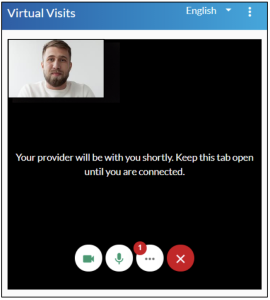
Click Join Visit
NOTE: You will not be able to join the visit more than 10 minutes before your appointment time.
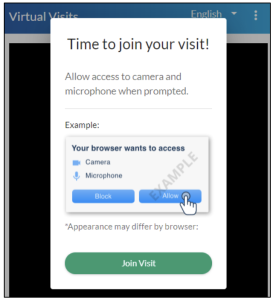
Connection Guide
We recommend using a secure and private internet connection (or cellular service on your mobile device). If you are in a corporate office, firewalls often block the video connection. Turn off WiFi and refresh your page on a cellular device, or try another secure WiFi network on your computer.
- Patients join via emailed or texted link
- No app needed
- Device must have front-facing camera
- Allow browser access to camera and microphone
- Earphones must have a microphone
- Turn device volume up
- Visit the tech support page
connect.ottohealth.com/video/test. - Run a quick test prior to your Virtual Visit at ottohealth.com/techsupport
Device Guide
- Update your browser to the most recent version.
- Please note: Internet Explorer and Microsoft Edge are NOT supported.
- Supported browsers:

Google Chrome

Firefox

Safari
- Update your device to the most recent operating system (version 8 or later).
- Supported browsers:
Google Chrome
- Make sure you are using an iPhone 6, or later.
- Update your device to the most recent operating system (version 11 or later).
- Supported browsers:
Safari
Questions?
If you have questions regarding your virtual visit, please call the appointment line at (818) 270-9777 to be connected with our Telehealth Care Coordinator.
If you have questions regarding your health care needs, payment or scheduling, please contact your provider’s office directly.