fbpx

SCV Dental & Wellness Health Center and Van Nuys Women’s and Reproductive Health Center NOW OPEN. For more information click here here.

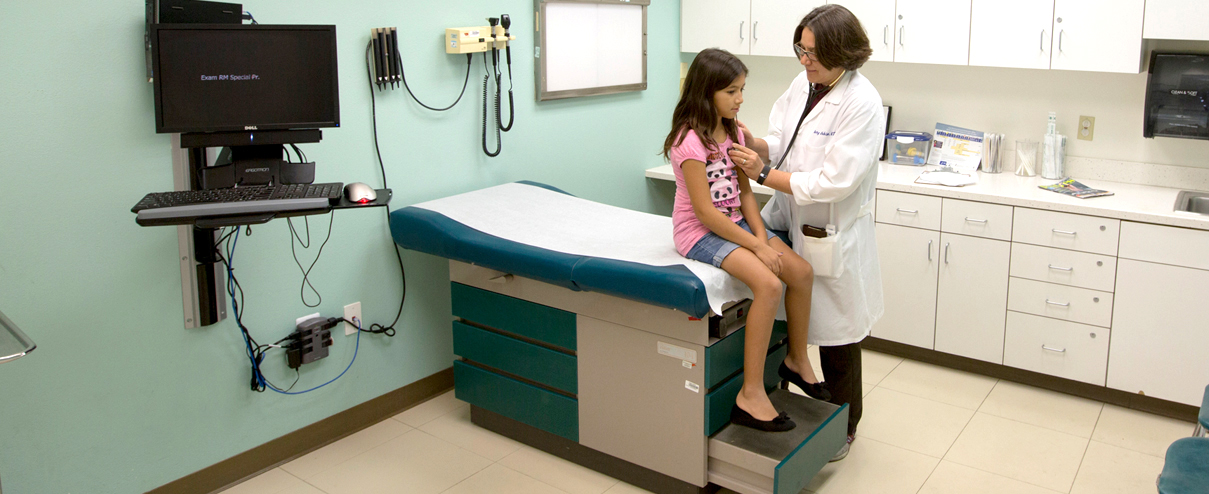
Receive healthcare without leaving your home

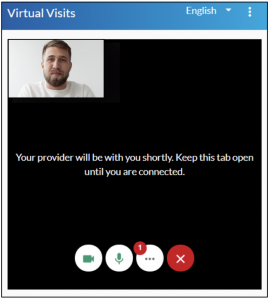
NEVHC offers telehealth visits through secure video calls to make it easier for you to connect with your provider. Telehealth visits are a great way to see your provider on your computer, phone, or tablet with no app download needed!

Virtual Visits Are Available For:

Follow-up Visits

medication questions

lab & test results

general questions

behavioral health

What do i need for a virtual visit?

Step-by-Step GUIDE for VIRTUAL Visits

Before your visit:

Joining your visit:

1. Appointment Confirmation

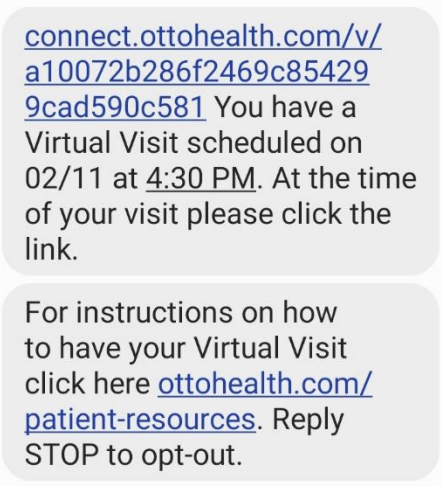
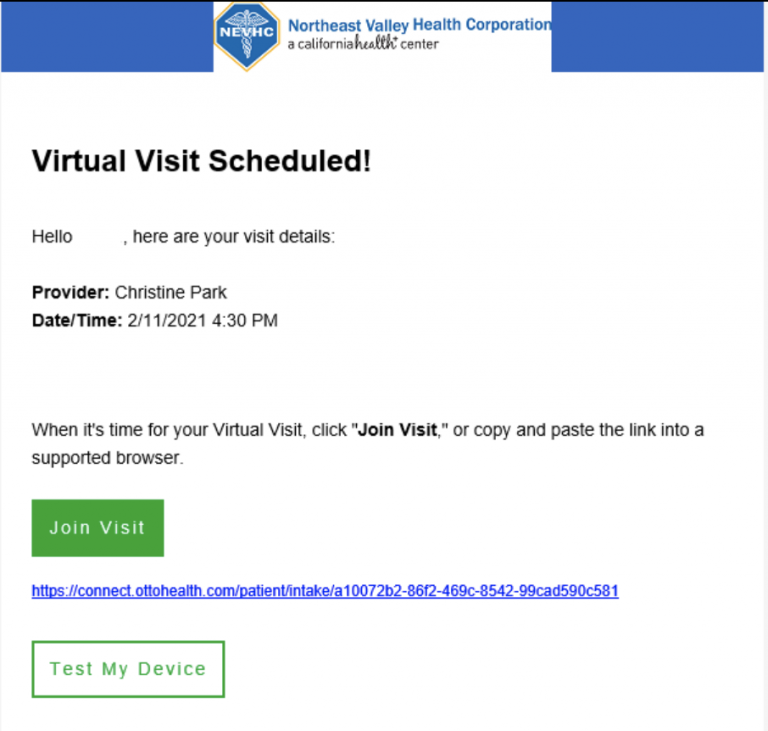
When your apartment was scheduled, you should have received two text messages and/or an email from OTTO Health with the link to your appointment and a device connection guide.

Text Message Sample

Email Sample

2. The day before your appointment:

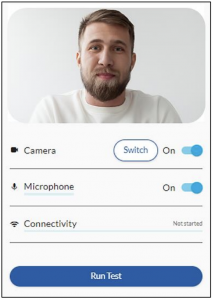
Follow the appointment link that was sent to your phone and/or email. Click on Test My Device and then Run Test.


Your device camera, microphone and internet connection will be tested to make sure everything will run smoothly on the day of your appointment.


Please make sure you test the same device and network that you will be using on the day of your visit.

3. Day of Appointment

At least 15 minutes before your appointment, follow the appointment link that was sent to your phone and/or email.


Please make sure to only use browsers such as: Google Chrome, Safari, or Firefox


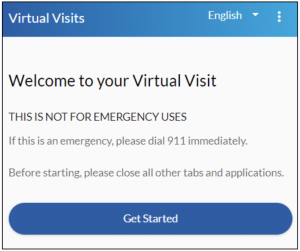
Click on Get Started to begin.

4. Appointment Registration

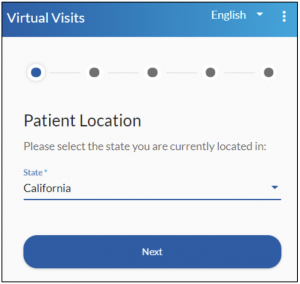
Begin your registration process by selecting your state then click Next.


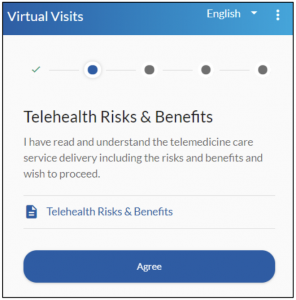
Review “Telehealth Risks and Benefits.” Click Agree.


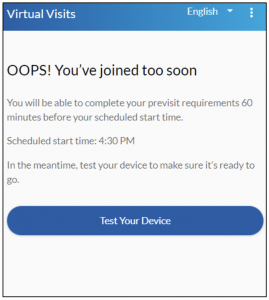
NOTE: You can start the consent process 1 hour before your appointment.

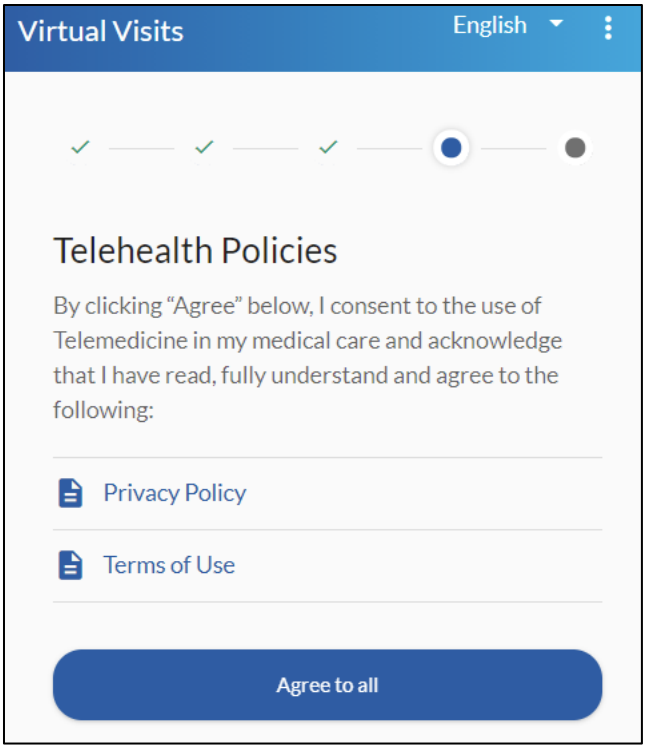
5. Telehealth Policy

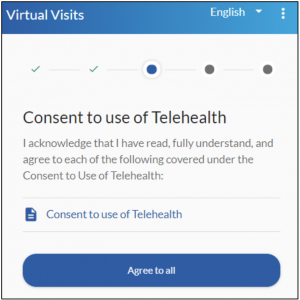
Review and Agree to all requirements under “Consent to use of Telehealth.”


Review and Agree to all requirements under “Telehealth Policies.”

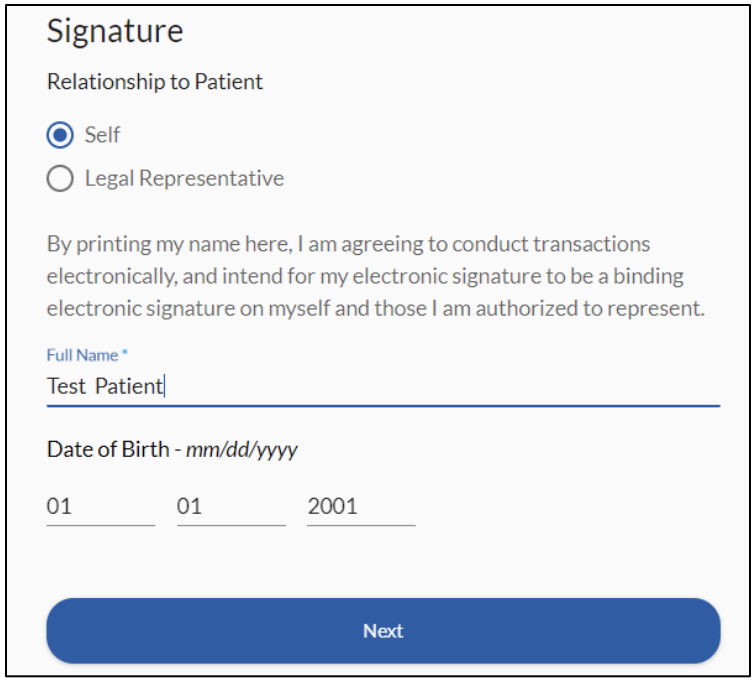
6. Relationship to Patient

If the telehealth visit is your own, click on Self then click Next.


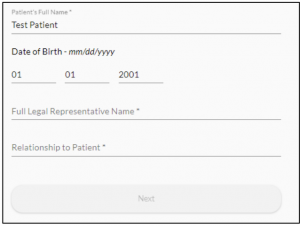
If the telehealth visit is for a dependent, click on Legal Representative. You will need to provide your name and relationship to the patient before you can click Next.

Legal Representative Additional Information

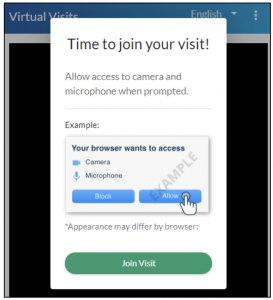
7. Allow Camera Access

Allow access to your
microphone and camera. Please note that allowing access is only temporary while you are on the OTTO website.


The visit will never be recorded.

Click Join Visit


NOTE: You will not be able to join the visit more than 10 minutes before your appointment time.

Connection Guide

Internet and WIFI

• We recommend using a secure and private internet connection (or cellular service on your mobile device). If you are in a corporate office, firewalls often block the video connection. Turn off WiFi and refresh your page on a cellular device, or try another secure WiFi network on your computer.

To Join Visit

• Patients join via emailed or texted link

• No app needed

Audio and Video

• Device must have front-facing camera

• Allow browser access to camera and microphone

• Earphones must have a microphone

• Turn device volume up

Need help?

• Visit the tech support page connect.ottohealth.com/video/test.

• Run a quick test prior to your Virtual Visit at ottohealth.com/techsupport.

Device Guide

Computer/Laptop

• Update your browser to the most recent version.

Please note: Internet Explorer and Microsoft Edge are NOT supported.

Supported browsers:
Google_Chrome_icon_(2011)

Google Chrome

firefox

Firefox

1028px-Safari_browser_logo.svg

Safari

Android

• Update your device to the most recent operating system (version 8 or later).

Supported browsers:
Google_Chrome_icon_(2011)

Google Chrome

iPhone/iPad

• Make sure you are using an iPhone 6, or later.

• Update your device to the most recent operating system (version 11 or later).

Supported browsers:
1028px-Safari_browser_logo.svg

Safari

Questions?

If you have questions regarding your virtual visit, please call the appointment line at (818) 270-9777 to be connected with our Telehealth Care Coordinator.

If you have questions regarding your health care needs, payment or scheduling, please contact your provider’s office directly.

NEVHC is a Health Center Program grantee under 42 U.S.C. 254b, and a deemed Public Health Service employee under 42 U.S.C. 233(g)-(n) with respect to certain health or health-related claims, including medical malpractice claims, for itself and its covered individuals.  

© 2020 Northeast Valley Health Corporation

Translate »
Verified by MonsterInsights